
Staff & user accounts
Staff holds your team’s records and links each to a login account with a role that controls what they can see and do.
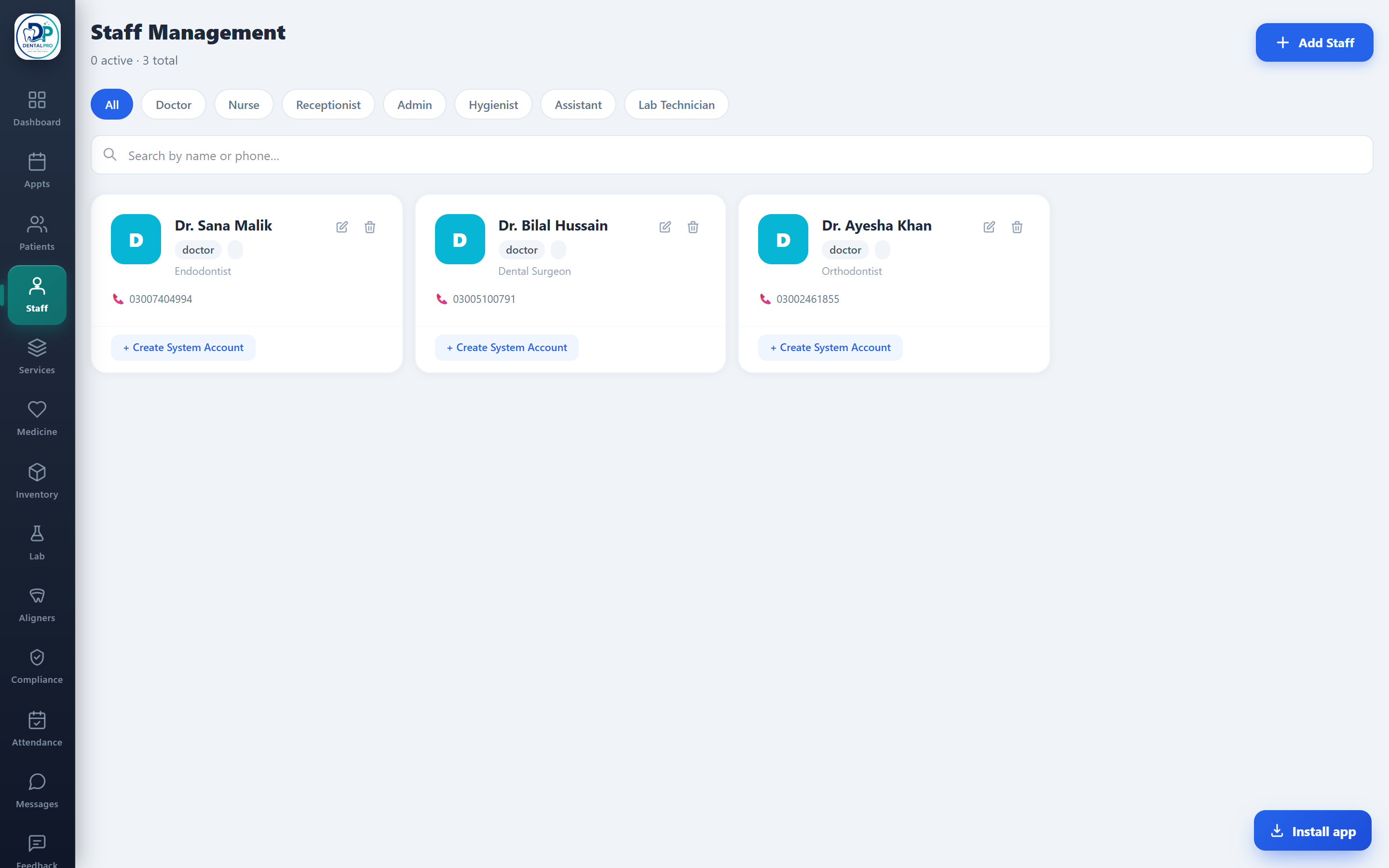
Open Staff
Tap Staff in the sidebar.
Add a doctor or team member
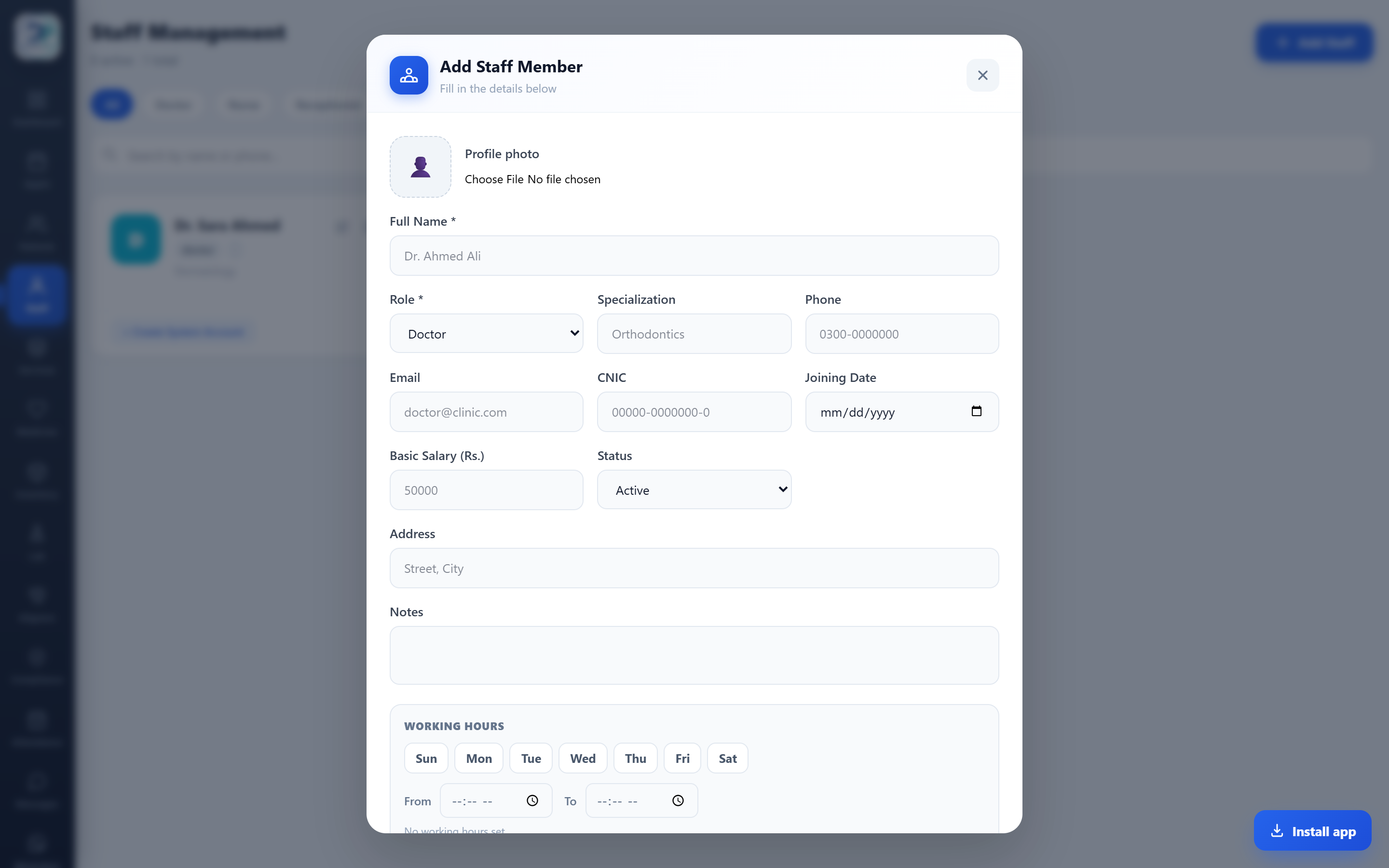
Tap Add Staff, then record the name, keep the role as Doctor (or pick another), and add specialization, contact, joining date, salary and working hours. Tap Add Staff to save.
Give them a login
Link a user account (username, password, role) so they can sign in — tap + Create System Account on the staff card. Roles like receptionist, doctor or accountant see only what their job needs.