 DentalPro
Dental Accounting Software for Clinics in Pakistan
Most clinic owners can tell you what they collected last month. Far fewer can tell you what they kept after rent, salaries, lab bills and the visiting doctor's share. Dental accounting software exists to answer that second question, every day, in rupees, without a month-end scramble.
Ask a dentist who runs a busy clinic in Lahore, Karachi or Multan how the month went, and you will usually hear about patients: how many came, how many started treatment, how full the chair was. Ask how much profit the clinic made, and the answer slows down. "Roughly this much, I think. My accountant will tell me in a few months."
That gap is what dental accounting software is for. Not tax returns, not jargon, but a plain answer to three questions that every owner should be able to answer on any given evening: how much money came in today and where is it, how much did we spend, and what is actually left?
This guide covers what accounting software for dental clinics should do in a Pakistani setting, walks through a worked example of one clinic's month in rupees, compares the usual options, and is honest about what DentalPro does and does not do.
Why a dental clinic's accounts are harder than they look
A general shop sells a product and takes the money. A dental clinic is messier, and the mess is exactly where profit leaks out unnoticed.
- Treatment is billed once and paid over months. An orthodontic case or a full-mouth rehabilitation might be invoiced at Rs 250,000 and paid in eight instalments. Your revenue and your cash are two different numbers.
- Money arrives through four or five doors. Cash at the counter, a bank transfer from a patient abroad, JazzCash or Easypaisa from a phone, a card on the machine. If the drawer is short, you need to know which door the gap is behind.
- Doctors are paid differently. The owner takes profit, an associate gets a salary, a visiting endodontist or orthodontist takes a percentage. The percentage is usually on what patients actually paid, not on what was billed, and working that out by hand every month causes arguments.
- Lab bills arrive late. The crown is fitted in March, the lab invoice comes in April. If you do not tie lab costs to the right period, one month looks fantastic and the next looks terrible.
- Discounts, refunds and advances blur the picture. A family discount here, a refund for a cancelled aligner case there, an advance taken before treatment even starts. Each one changes what the day's cash should be.
Dentists' accounting software earns its keep by handling these clinic-shaped problems, not by giving you a generic ledger and leaving you to fit the clinic into it.
What accounting software for dental clinics should actually do
1. Start from billing, not from a blank ledger
The most important feature is the least glamorous: when the receptionist collects a payment against a patient's invoice, that payment should appear in the accounts by itself. Every time a number is copied from one place to another, it can be copied wrong, copied twice or not copied at all. In DentalPro, payments collected on the patient's Finance tab flow into the accounting module automatically, and edits or reversals are audit-logged with before and after values. If you have ever found the same payment entered twice, our piece on preventing double billing explains why that matters.
2. Separate every payment method
For daily closing to work, you have to know how much should be in the drawer and how much should have landed in each account. DentalPro records payments as cash, card, bank transfer, JazzCash or Easypaisa, and its Cash Book keeps running balances for cash in hand, the bank account, Easypaisa and JazzCash separately.
3. Expenses in categories you recognise
Rent, salary, utilities, supplies, medicines, lab, maintenance, marketing and commission are the categories most clinics need, and they are the expense categories built into DentalPro. You can attach an expense to a supplier, record how it was paid and mark it as recurring. The expense tracking guide covers the habits that make this work, such as recording the generator diesel the day it is bought rather than at month end.
4. Supplier and lab payables
Dental suppliers and labs often run on credit. DentalPro's Suppliers section records purchases with a total, the amount paid and the balance still owed, so the money you owe the lab is visible before the lab calls to remind you. If you track lab work in detail, tracking lab cases from the clinic shows how case cost and status fit together.
5. Doctor compensation that does the arithmetic
This is where most spreadsheets break. DentalPro's Compensation section (owner only) holds an agreement per doctor: salary only, commission only, or salary plus commission. Commission can be calculated on gross earnings, on net earnings after approved expenses, or on actual collections. Collections are attributed to the treating doctor by proportional allocation of real patient payments, so a part-paid invoice only counts for what was paid. You can also choose whether a doctor's lab-case costs count as deductible expenses for the net basis. Each month you build a statement, add bonuses or deductions, and export it as a PDF or a CSV that opens in Excel. If you allow it, a doctor can see their own earnings under My Earnings, and never another doctor's terms.
6. Reports an owner and an accountant can both read
DentalPro's Reports tab produces profit and loss, balance sheet, trial balance, daily collection, outstanding dues and expense summary for any date range, with CSV export. Behind them sit a chart of accounts and a double-entry journal, so your accountant is working from proper books rather than a pile of receipts. For a full year-end checklist, see year-end accounting for dental clinics. The accounting help page shows where each tab lives.
A worked example: one clinic's month in rupees
The figures below are an illustrative example, not real data from any clinic. They describe a two-chair clinic with the owner dentist, one salaried associate and a visiting endodontist who works two days a week on commission. Your numbers will be different; the shape of the arithmetic is what matters.
Step 1: one day's cash closing
At the end of a Thursday, the receptionist compares what the software says was collected against what is actually in the drawer and in each account.
| Payment method | As per software (Rs) | Actually counted or received (Rs) | Difference (Rs) |
|---|---|---|---|
| Cash | 46,500 | 46,000 | -500 |
| Bank transfer | 18,000 | 18,000 | 0 |
| JazzCash / Easypaisa | 12,500 | 12,500 | 0 |
| Card | 8,000 | 8,000 | 0 |
| Total | 85,000 | 84,500 | -500 |
The Rs 500 short in cash turns out to be a parking token and tea bought from the drawer without a slip. Small, but it gets recorded as a miscellaneous expense today rather than becoming a mystery at month end. That is the whole point of closing daily: a Rs 500 gap explained tonight is a non-event, a Rs 15,000 gap discovered on the 30th is an argument. Our daily cash closing routine sets out the ten-minute version of this check.
Step 2: the month's collections
Over the month, the clinic invoiced Rs 2,350,000 of treatment but collected Rs 2,100,000, because several orthodontic and implant cases are on instalments. The Rs 250,000 difference is not lost; it sits in outstanding dues, and it is exactly the figure the outstanding dues report should show.
| Collections by method | Amount (Rs) |
|---|---|
| Cash | 1,150,000 |
| Bank transfer | 420,000 |
| JazzCash / Easypaisa | 310,000 |
| Card | 220,000 |
| Total collected | 2,100,000 |
Step 3: the visiting doctor's commission
The visiting endodontist is on 40% of actual collections from his own patients. He treated cases invoiced at Rs 520,000, but patients paid Rs 450,000 against his work this month. His commission is therefore 40% of Rs 450,000, which is Rs 180,000, not 40% of the invoiced Rs 520,000 (which would be Rs 208,000). The remaining Rs 70,000 will be counted in the month the patients actually pay it.
If his agreement were instead on net earnings with his lab costs deducted, and his lab bills for the month were Rs 40,000, the commission would be 40% of (Rs 450,000 minus Rs 40,000) = Rs 164,000. Two reasonable agreements, a Rs 16,000 difference every month. This is why the agreement should be written down and calculated by the system, not remembered.
Step 4: expenses and net profit
| Line | Amount (Rs) |
|---|---|
| Total collected | 2,100,000 |
| Less: visiting doctor commission (40% of Rs 450,000) | -180,000 |
| Less: salaries (associate dentist, two assistants, receptionist) | -330,000 |
| Less: rent | -250,000 |
| Less: dental materials and supplies | -190,000 |
| Less: lab bills (crowns, bridges, dentures, aligners) | -160,000 |
| Less: utilities (electricity, gas, internet, generator fuel) | -85,000 |
| Less: equipment maintenance | -25,000 |
| Less: marketing | -30,000 |
| Less: miscellaneous | -20,000 |
| Total outgoings | -1,270,000 |
| Net profit for the month | 830,000 |
So Rs 2,100,000 collected becomes Rs 830,000 kept, a margin of about 39.5% of collections. Notice what the owner learns from this that the collections figure alone could not show:
- Lab bills (Rs 160,000) are almost as large as the materials bill. If crown and bridge prices have not risen since last year while the lab's prices have, the margin on prosthetic work is shrinking quietly.
- The visiting doctor costs Rs 180,000 and brings in Rs 450,000 of collections. That is a healthy arrangement, and now it can be shown in numbers rather than defended by feel.
- Rs 250,000 is still owed by patients. Following up on it is worth more than another month of marketing spend.
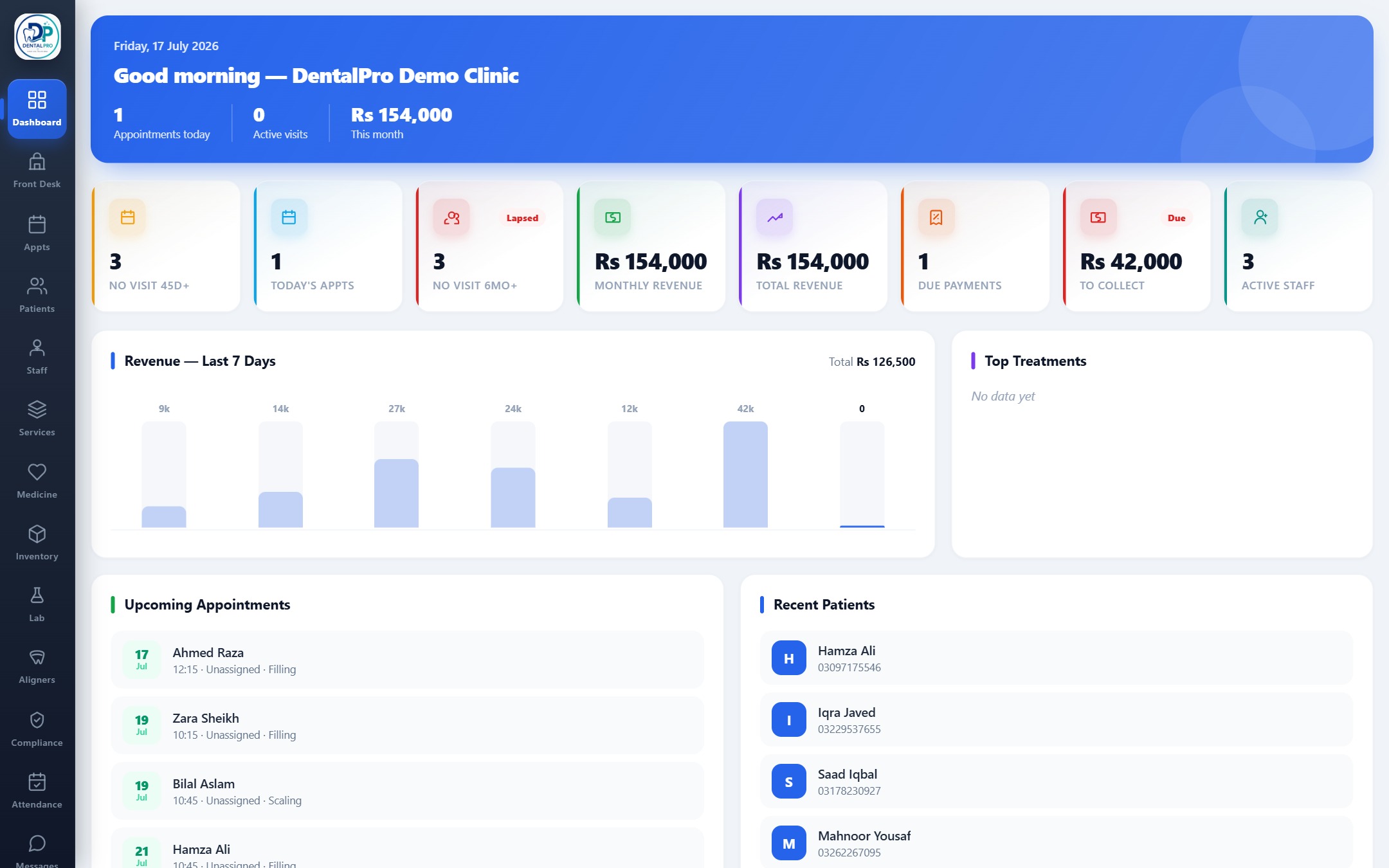
In DentalPro, these figures come from the same places the clinic already works in: collections from billing, expenses from the expense list, commission from the doctor's statement. The profit and loss report puts them together for the date range you pick.
DentalPro vs Excel vs generic accounting software
There are three common ways a Pakistani clinic keeps its accounts. Each has a place, and it is worth being clear about the trade-offs.
| Need | DentalPro | Spreadsheets (Excel) | Generic accounting tools |
|---|---|---|---|
| Patient payments enter the books | Automatically from billing | Typed in by hand | Typed or imported; no link to the patient chart |
| Cash, bank, JazzCash, Easypaisa, card | Recorded per payment, separate cash book balances | Possible if someone keeps columns up to date | Possible with separate accounts set up manually |
| Instalments and outstanding dues per patient | Patient ledger and outstanding dues report | A separate sheet that drifts | Customer balances, but no treatment context |
| Doctor commission on actual collections | Agreement per doctor, monthly statement, PDF and CSV | Formulas rebuilt every month | Usually not built in; worked out outside |
| Lab and supplier payables | Suppliers with paid and balance amounts | Manual list | Supported (vendor bills) |
| Profit and loss, balance sheet, trial balance | Built in, any date range, CSV export | Only if you build them | Built in |
| Who can see what | Role-based; compensation is owner only | Whoever has the file | User roles, but separate logins from clinic software |
| Extra system to learn | No, it is the clinic software | No, but heavy upkeep | Yes, alongside the clinic software |
A generic accounting tool is a perfectly good choice if your accountant already uses one and you are willing to export clinic collections into it. Many clinics keep exactly that arrangement: DentalPro for the day-to-day, with CSV reports handed to the accountant. What does not work well is the most common setup of all, a receptionist's notebook, an Excel sheet at home and the accountant's ledger, none of which agree with each other.
A simple monthly routine for the owner
Software only helps if it is used on a rhythm. A routine that works for most clinics:
- Every evening: the receptionist closes the day, matching cash, bank, JazzCash, Easypaisa and card against the daily collection report, and records any petty expense from the drawer. On Premium, owners can also receive an automatic Daily Finance Report on WhatsApp, switched on in Settings.
- Every week: the owner checks the outstanding dues report and decides which patients need a polite reminder.
- When bills arrive: lab invoices, supplier invoices and utility bills are entered as expenses or payables the same day, not saved in a drawer.
- At month end: build each doctor's statement, review it, approve it and pay it. Then run profit and loss for the month and compare it with last month.
- At year end: export the reports for your accountant. The year-end guide lists what they will ask for.
None of this requires an accounting degree. It requires the numbers to be in one place and to be right, which is the job of the software. For more on how invoices, receipts and instalments feed into all this, read our dental billing software guide and the invoicing and payments help page.
What DentalPro does not do
To be straightforward: DentalPro is clinic software with a real accounting module, not a tax service. It does not file returns with FBR or any provincial revenue authority, and it does not replace your accountant's judgement on depreciation, tax or partnership splits. What it does is give that accountant clean, consistent books instead of a shoebox.
Pricing and plans
DentalPro is priced per clinic per month: Starter Rs 3,000, Basic Rs 4,000 and Premium Rs 8,000. Invoicing, receipts and payment collection are included on every plan. The full accounting suite, with the cash book, expenses, suppliers, chart of accounts, journal, financial reports and the Daily Finance Report, is part of Premium.
Try it with your own numbers
The quickest way to judge any dentists' accounting software is to put a few real days into it and see whether the reports agree with what you know about your clinic. DentalPro has a 15-day free trial with no card required. Enter a couple of days of collections and expenses, run a daily collection report and a profit and loss, and see whether the number that comes out is the one you expected.
Start your free DentalPro trial and see what your clinic actually keeps.
Frequently asked questions
What is dental accounting software?
It is software that records what a dental clinic earns and what it spends, so you can see profit, cash in hand and money owed. Good dental accounting software is connected to patient billing, so every payment collected at the desk lands in the accounts automatically instead of being typed in twice.
Why do dentists need accounting software if they already use Excel?
Excel works until there are two receptionists, three payment methods and a visiting doctor on commission. Then the sheet drifts from reality because every number is copied by hand. Accounting software for dental clinics pulls collections straight from billing, so the sheet never has to be rebuilt at month end. See our guide to tracking clinic expenses for the habits that matter either way.
Can DentalPro track JazzCash and Easypaisa separately from cash?
Yes. Payments can be recorded as cash, card, bank transfer, JazzCash or Easypaisa, and the Cash Book keeps separate running balances for cash in hand, the bank account, Easypaisa and JazzCash, so your daily closing can match each one.
How are visiting doctor commissions calculated?
In DentalPro the owner sets an agreement per doctor: salary only, commission only, or salary plus commission, with the commission based on gross earnings, net earnings after approved expenses, or actual collections. A monthly statement is built from that agreement and can be exported as PDF or CSV. The doctor compensation guide walks through it.
Does DentalPro file my taxes with FBR?
No. DentalPro gives you clean records, a profit and loss statement, balance sheet, trial balance and expense summaries that you or your accountant can use for your return. It does not file anything with FBR for you.
Which DentalPro plan includes accounting?
Invoicing, receipts and payment collection are on every plan (Starter Rs 3,000, Basic Rs 4,000 and Premium Rs 8,000 per month per clinic). The full accounting suite, including the cash book, journal, financial reports and the daily finance report, is on Premium.
Is there a free trial?
Yes, a 15-day free trial with no card required. You can enter a few days of real collections and expenses and see whether the reports match what you already know about your clinic.
See DentalPro in your own clinic
Charting, treatment plans, billing, accounting, WhatsApp reminders, a patient app and online booking, from one login. Start a 15-day free trial, no card needed.
Start free trial