
Registering a new patient
You only need a name to register someone. Add a phone number if you want to send them WhatsApp reminders or a patient-app link.
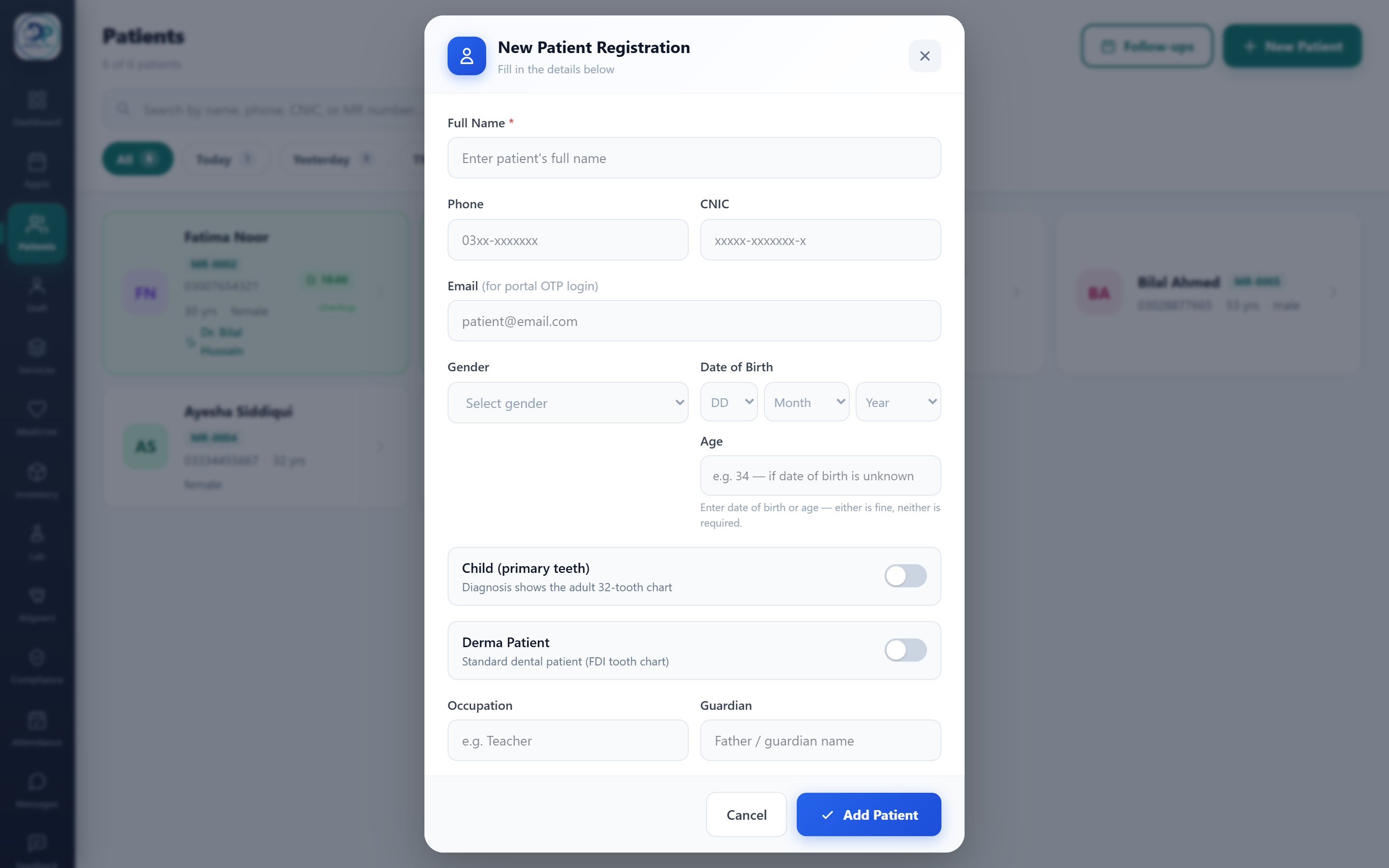
Open the form
On the Patients screen, tap New Patient (top right).
Enter the details
Full name is the only required field. Add phone, CNIC, gender and date of birth (or just an age) as needed. A phone number lets you send reminders and a portal link later.
Child or derma patient
Toggle Child to chart primary (milk) teeth, or Derma Patient to switch the record to the skin/aesthetics workspace instead of the tooth chart.
Save
Tap Add Patient. The patient is created and their record opens, ready for charting or booking.