
Building a treatment plan
A treatment plan is where clinical care becomes clinic income. Build it from the patient’s chart, apply a discount, and split it into installments.
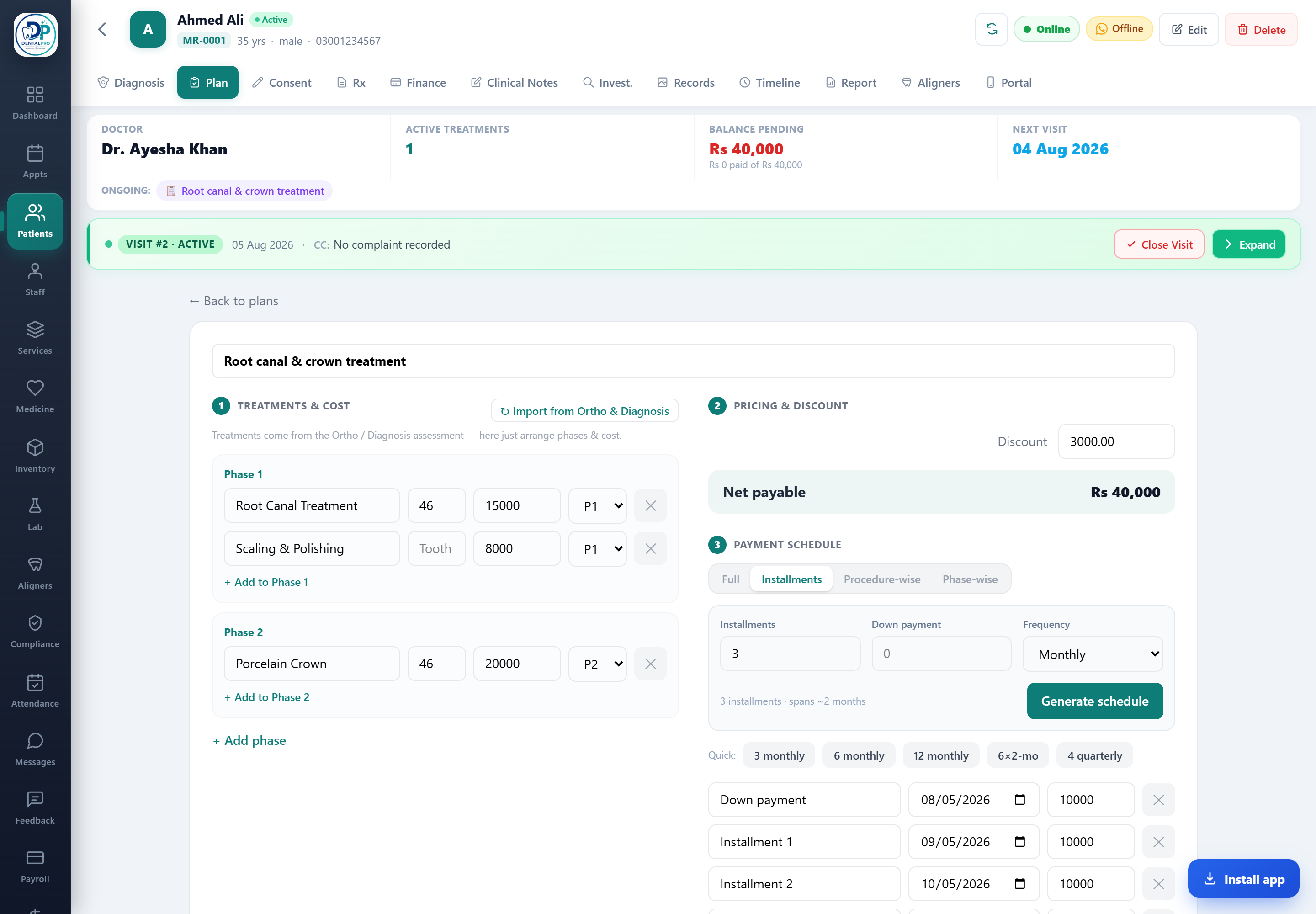
Open the Plan tab
On the patient’s chart, tap Plan. Any treatments you added from the Diagnosis tab appear here as an estimate.
Set price, discount and installments
Adjust item prices, apply a discount, and split the net total into 2, 3, 4 or 6 installments with a down payment.
Approve & convert
Set the plan to Active. Accepted items post straight to the patient ledger and create an invoice — no re-typing.
For the full walkthrough of phases, discounts and the whole installment builder, see Payment plans & installments.